
AmberHush

Your private photos, encrypted on your iPhone

AmberHush is an encrypted photo vault that works like the Photos app you already know. Shoot straight into it, keep separate private spaces behind their own passwords, and back it up to a drive you choose. No account, no ads, no analytics.

Download on the App Store

Free for up to 30 photos and videos. For iPhone and iPad with iOS 18 or later.

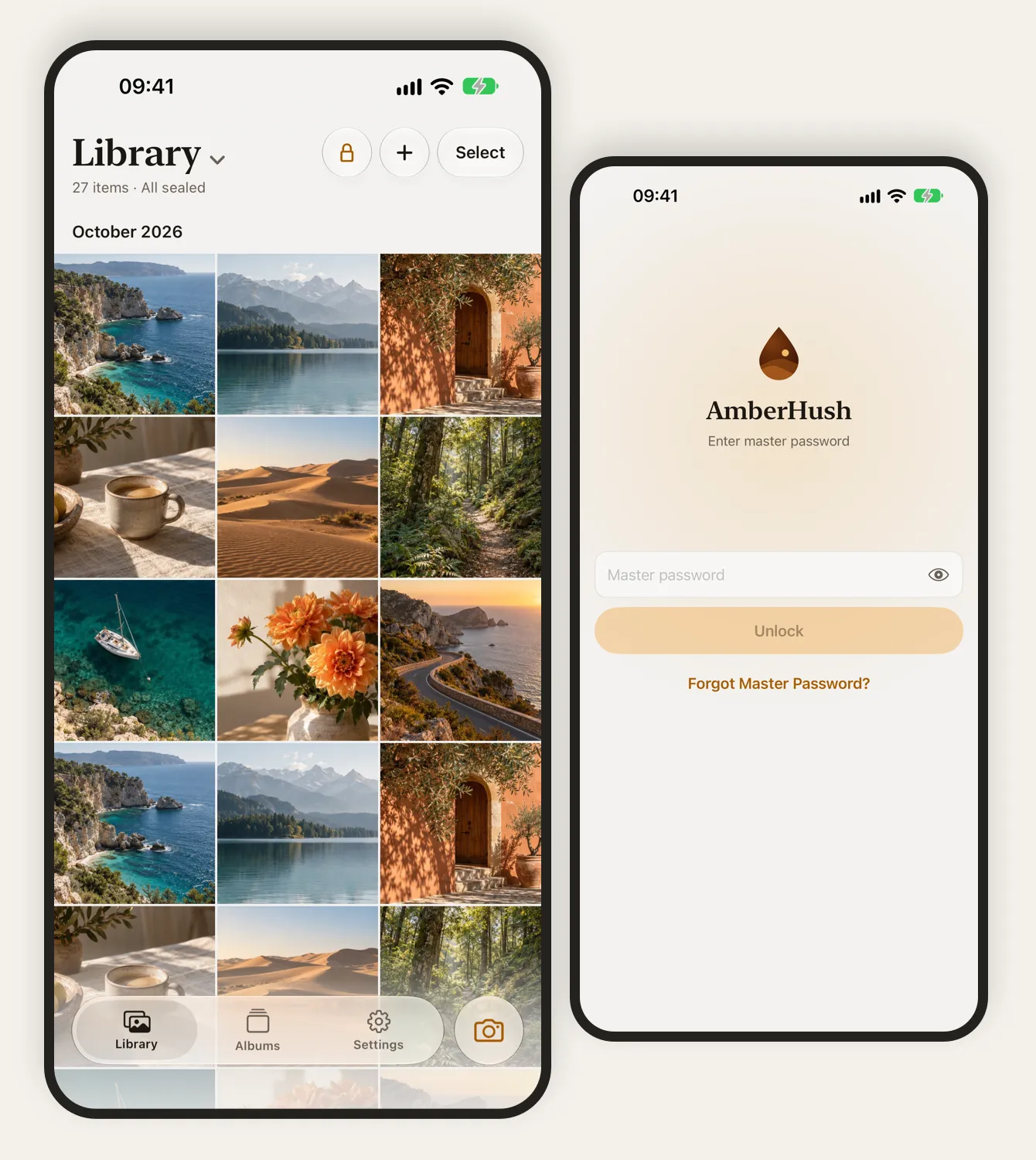
The AmberHush library with 27 sealed photos, beside the lock screen asking for the master password

Why not just use the Hidden album?

The Hidden album in Photos keeps pictures out of sight, but it opens with the same Face ID and passcode as your iPhone, and its photos sync to iCloud like any others. AmberHush is for the photos you want to keep from anyone who knows your passcode.

The Photos Hidden album compared with AmberHush
QuestionHidden album in PhotosAmberHush
Who can open itAnyone with your Face ID or iPhone passcodeYour Face ID or master password, never your iPhone passcode*
Where the photos areIn your photo library, and in iCloud Photos if it’s onOnly in AmberHush on this iPhone, plus any backup you make
EncryptionThe standard protection iOS gives every fileEvery photo, video and thumbnail encrypted with your vault’s own key
New photosLand in your library first; you hide them afterwardsThe secure camera seals each shot straight into the vault
Separate collectionsOne Hidden albumUp to five private spaces, each with its own password

* In master password mode. AmberHush also has a Face ID mode with nothing to remember; in that mode your iPhone passcode can open the vault too.

Built for the photos that matter most

Add photos from your library or from Files, or take them with the secure camera. Each one is encrypted and checked before AmberHush offers to delete the original.

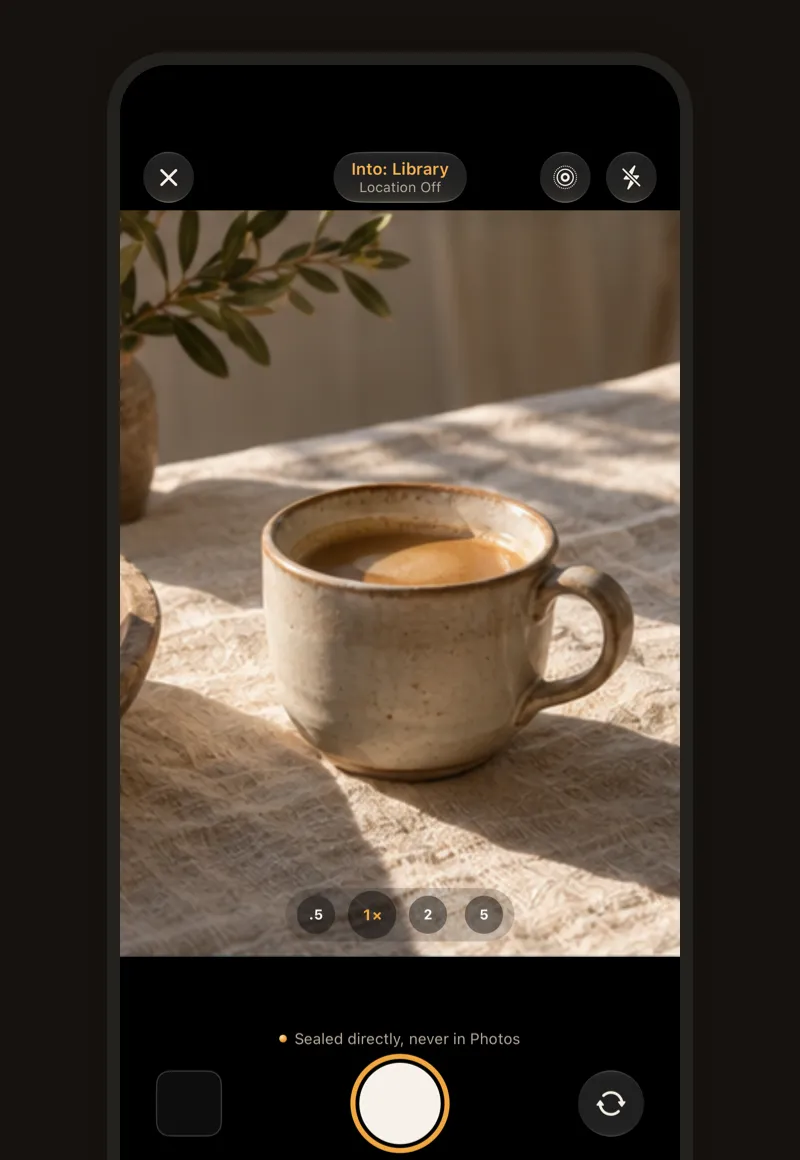
The AmberHush secure camera, taking into the library with location off, above the note “Sealed directly, never in Photos”

Shoot straight into the vault

The built-in camera seals photos, Live Photos and videos into AmberHush as you take them. Nothing goes to the Photos library first, so there’s no original left behind to remember to delete.

Open it from Control Center, the Lock Screen, the Action button or Camera Control without unlocking the vault first. What you take appears after you unlock.
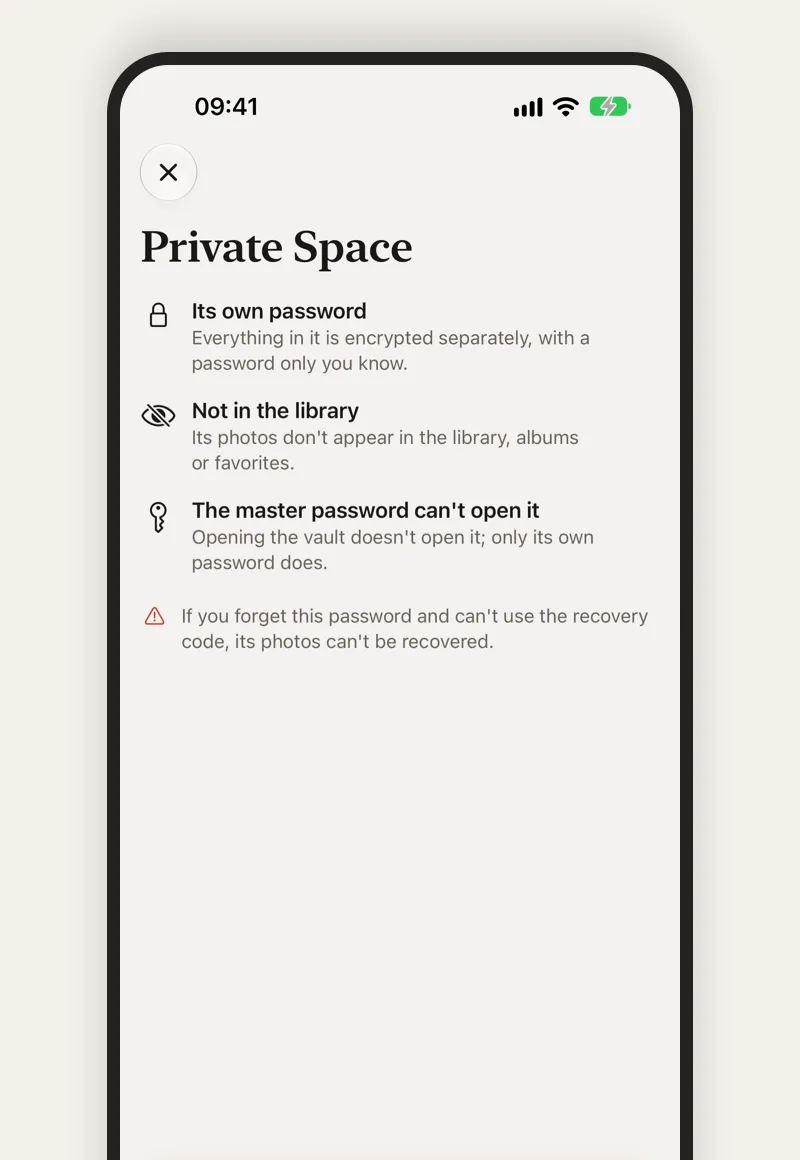
AmberHush explaining a private space: its own password, not in the library, and the master password can’t open it

Different passwords, different spaces

Put the most personal photos in a private space with its own password. Each space is encrypted separately: your master password doesn’t open it and its photos never appear in the library.

The entry doesn’t list names or how many spaces there are, and opening one leaves the others locked.

Private spaces are part of AmberHush Pro.
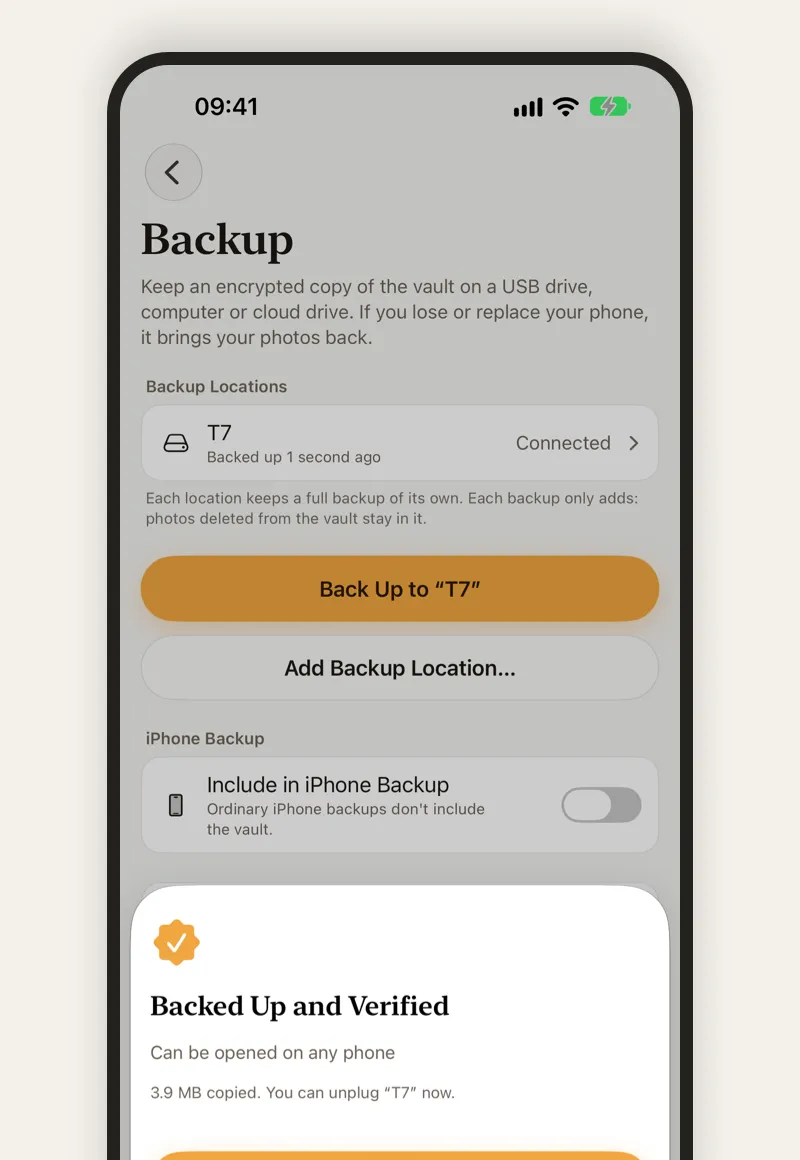
AmberHush backup page after a backup to a drive named T7, saying it was backed up and verified

Backups you can check

Back up the encrypted vault to a USB drive, an SSD or any folder in the Files app. After the first time, only what’s new is copied.

Verify a backup or browse it before you ever need it, and put back photos you’ve deleted since. Everything in a backup stays encrypted.

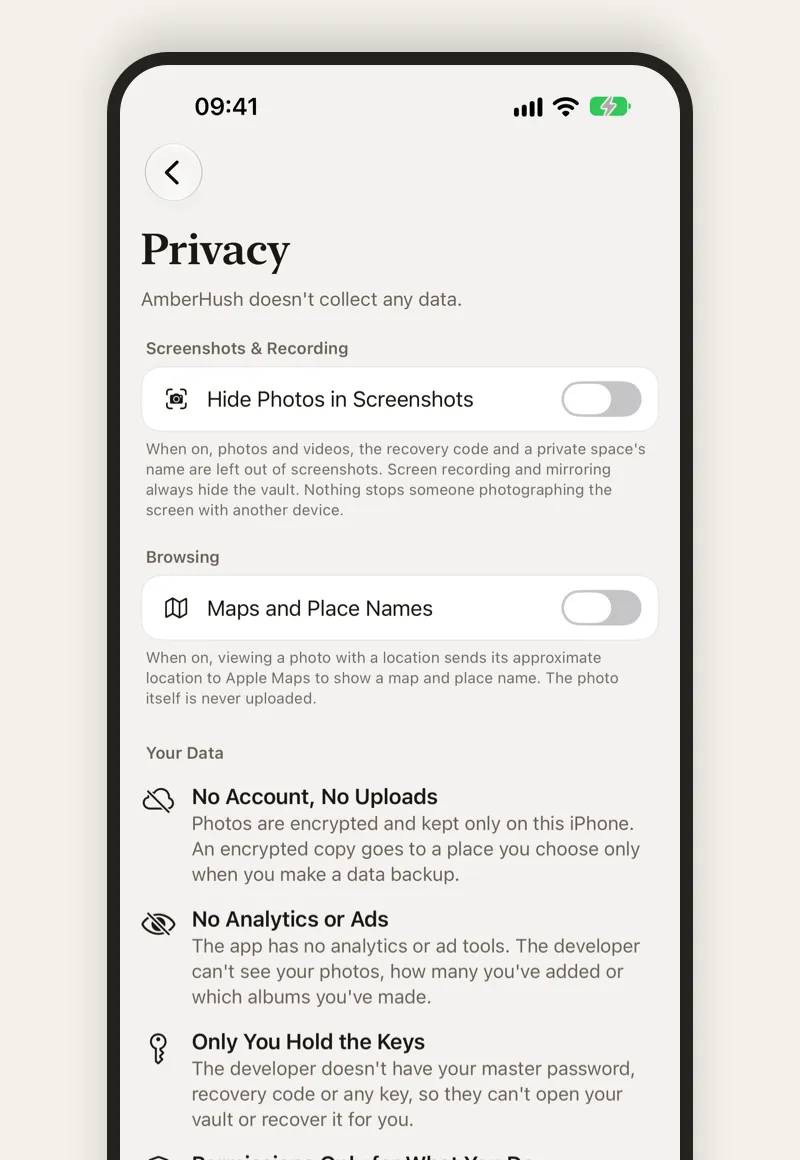
AmberHush privacy settings with Hide in Screenshots turned on

No account, no ads, no analytics

AmberHush doesn’t collect any data, and the developer can’t see your photos or how many you have.

Screenshots can leave your photos out, screen recording and mirroring always hide the vault, and the app is covered the moment you switch away.

Choose how it unlocks

You pick when you create the vault, and you can switch from Face ID mode to a master password later.

Face ID mode

Nothing to remember. AmberHush creates a random master password, keeps it only on this iPhone and unlocks with Face ID.

Your iPhone passcode is the fallback, so anyone who knows it can open the vault.

Master password mode

A password only you know. Face ID can still unlock day to day, but your iPhone passcode never can.

Keep your recovery code safe: if you forget the master password, it’s the only way back.

Your photos, even without AmberHush

Each photo is stored as its own encrypted .bge file in BGE v3, a format with a public specification. With a backup and your key, the free bge command-line tool decrypts them on a Mac or Linux computer, without AmberHush.

Exporting originals or your whole library is always free, too.

How AmberHush protects your photos

Free to start

The free version has every security and backup feature for up to 30 photos and videos. AmberHush Pro removes the limit and adds private spaces.

Free

$0

For as long as you like

  • Up to 30 photos and videos in your library
  • Secure camera, master password and Face ID
  • Encrypted backups, export and restore

Pro Monthly

$3.99a month

Cancel anytime

  • No limit on your library
  • Private spaces
Best value

Pro Lifetime

$19.99once

Early-bird price. It will go up to $29.99.

  • No limit on your library
  • Private spaces
  • One-time purchase, no subscription

If Pro ends, nothing is taken away. Viewing, exporting, backing up and restoring your photos are always free; you just can’t add beyond 30 items or into private spaces until you have Pro again.

Prices are in US dollars. The App Store shows the price for your country or region.

Questions

Is AmberHush free?

Yes, for up to 30 photos and videos, with every security and backup feature. AmberHush Pro removes the limit and adds private spaces, for $3.99 a month or $19.99 once.

Can someone who knows my iPhone passcode open AmberHush?

Not in master password mode: only your master password or your recovery code opens the vault. In Face ID mode, which has nothing to remember, the iPhone passcode is the fallback, so someone who knows it can open the vault.

What if I forget my master password?

Use your recovery code to set a new one. AmberHush never has your master password, recovery code or keys, so without them nobody, including the developer, can recover your photos.

Does AmberHush upload my photos?

No. Your photos stay encrypted on your iPhone and only leave it when you share them or back them up to a place you choose. The one optional online feature is maps: when you turn it on, viewing a photo with a location sends its approximate location to Apple Maps.

What happens if I delete the app or lose my iPhone?

The vault is deleted with the app, so keep a backup. With a backup and your master password or recovery code, you can restore everything on a new iPhone.

Can I get my photos out later?

Always, and for free. Export originals or the whole library, or export encrypted .bge files. With a backup and your key, the free bge command-line tool can decrypt your photos without AmberHush.

Does AmberHush work on iPad?

Yes. AmberHush runs on iPhone and iPad with iOS or iPadOS 18 or later, in English and Simplified Chinese.

More answers on the support page.

Seal your first photo

Free for up to 30 photos and videos.

Download on the App Store